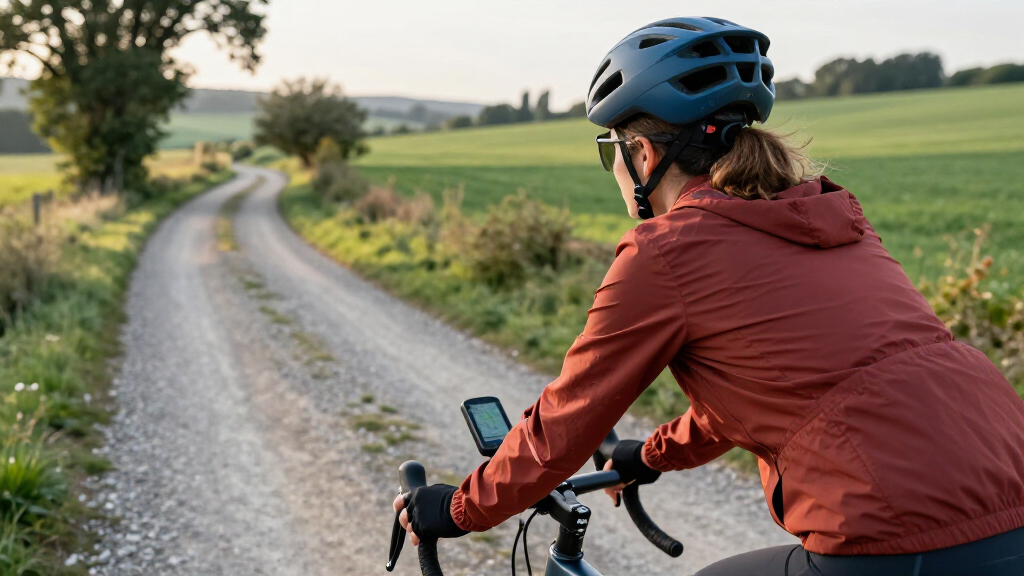

The best bike computers balance clear ride data, dependable navigation, and controls that make sense on the bike. I’d put the Wahoo ELEMNT BOLT V3 first for its useful mix of GPS features and compact design, while the Garmin Edge 1050 stands out for riders who want a premium, feature-rich unit and the CatEye Velo Wireless suits riders who only need simple ride stats. The main tradeoff is between basic, low-fuss computers and GPS models with mapping, connectivity, and more setup. Screen size, battery needs, and whether you actually want route guidance can matter more than a long feature list. Read on for how all 15 options differ and which type of rider each one best serves.

Get sports gear delivered free — and shop member deals
- Fast, free delivery on millions of items
- Access to Prime Big Deal Days deals on October 6–7
- Prime Video, Amazon Music and more included
Complete the kit


Key Takeaways
- The Wahoo ELEMNT BOLT V3 is the strongest all-round choice in this lineup for riders seeking a capable GPS computer without stepping up to the largest premium models.
- Garmin Edge 1050 and Edge 850 target different premium needs: the 1050 prioritizes a larger feature-rich experience, while the 850 offers a more compact format.
- GPS and mapping create the clearest divide. Models such as the iGPSPORT BSC300T, Wahoo ROAM V3, and Hammerhead Karoo are better suited to route-focused rides than basic CatEye units.
- Simple wired and wireless computers still have a place. The CatEye Velo 7, Velo Wireless, and Padrone avoid the setup and navigation complexity of GPS models when speed and distance are enough.
- Screen and interface choices affect real ride usability. Touchscreens can make map interaction easier, while compact or button-led computers may be easier to operate in wet conditions or with gloves.
| Wahoo ELEMNT ACE Cycling Computer |  | Best for Wind and Aerodynamics Data | Display: 3.8-inch LCD, 480 × 800 resolution | Battery life: Up to 30 hours | Sensors: Pressure, speed, and cadence | VIEW LATEST PRICE | See Our Full Breakdown |
| CatEye Velo Wireless Bike Computer |  | Best for Simple Wireless Ride Tracking | Display: 10 cm LCD/LED | Metrics: Current, maximum, and average speed; distance; ride time; calorie consumption | Sensor: Speed sensor | VIEW LATEST PRICE | See Our Full Breakdown |
| Wahoo ELEMNT BOLT V3 GPS Bike Computer |  | Best Compact GPS Computer | Display: 2.2-inch, 64-color screen in description; product information lists 2.3 inches | Memory: 16 GB | Battery life: 15 hours in description; product information lists 20 hours | VIEW LATEST PRICE | See Our Full Breakdown |
| iGPSPORT BSC200S GPS Bike Computer with Route Navigation |  | Best for Long-Ride Battery Life | Display: 2.4-inch color screen, 320 × 240 resolution | Battery life: Up to 25 hours | Battery capacity: 600 mAh | VIEW LATEST PRICE | See Our Full Breakdown |
| iGPSPORT BSC300T GPS Bike Computer with Touchscreen and Offline Maps |  | Best for Offline Maps on a Compact Computer | Screen: 2.4 inches | Battery life: Up to 20 hours | Memory: 8 GB | VIEW LATEST PRICE | See Our Full Breakdown |
| Garmin Edge 850 Compact GPS Cycling Computer |  | Best Compact Premium Pick | Display: 2.7-inch LCD touchscreen | Controls: Buttons and capacitive touchscreen | Battery life: Up to 12 hours; up to 36 hours in battery-saver mode | VIEW LATEST PRICE | See Our Full Breakdown |
| Garmin Edge 1050 Premium Cycling Computer |  | Best Premium Large-Screen Pick | Screen: 3.5-inch LCD capacitive touchscreen | Battery life: Up to 20 hours in demanding use; up to 60 hours in battery-saver mode | Storage: 64 GB | VIEW LATEST PRICE | See Our Full Breakdown |
| Wahoo ELEMNT ROAM V3 GPS Cycling Computer |  | Best for Route-Focused Riders | Display: 2.8-inch LCD, 480 × 800 resolution | Controls: Buttons and touchscreen | Battery life: Up to 25 hours | VIEW LATEST PRICE | See Our Full Breakdown |
| Garmin Edge 540 GPS Cycling Computer |  | Best for Button-Controlled Training | Screen: 2.6-inch LCD, 246 × 322 resolution | Input: Buttons | Battery life: Up to 26 hours; up to 42 hours in battery-saver mode | VIEW LATEST PRICE | See Our Full Breakdown |
| CYCPLUS G1 Wireless GPS Bike Computer | 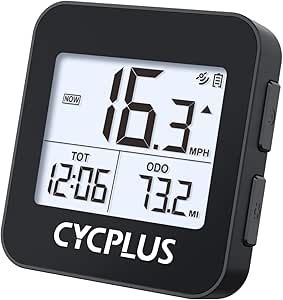 | Best Simple, Long-Running GPS Pick | Display: 2-inch FSTN LED | Battery capacity: 1200 mAh | Battery life: More than 55 hours stated; 50-hour average also listed | VIEW LATEST PRICE | See Our Full Breakdown |
| CatEye Velo 7 Wired Bike Computer |  | Best for Beginner Riders | Display: 2.17-inch LCD | Connectivity: Wired | Sensor: Speed sensor | VIEW LATEST PRICE | See Our Full Breakdown |
| iGPSPORT BSC500 GPS Bike Computer with 3.3-Inch Touchscreen and Voice Navigation |  | Best for Route-Focused Riding | Display: 3.3 inches | Positioning: Dual-band L1/L5 | Satellite systems: GPS, Beidou, GLONASS, Galileo, QZSS | VIEW LATEST PRICE | See Our Full Breakdown |
| COOSPO CS600 GPS Bike Computer with Color Touchscreen |  | Best for Long Rides | Display: 2.4-inch color LCD touchscreen | Battery life: Up to 36 hours | Water resistance: IPX7 | VIEW LATEST PRICE | See Our Full Breakdown |
| CATEYE Padrone Wireless Bike Computer |  | Best for Easy-to-Read Metrics | Display: 5.5 cm LCD | Wireless transmission range: 70 cm | Sensor type: Analog wireless | VIEW LATEST PRICE | See Our Full Breakdown |
| Hammerhead Karoo GPS Bike Computer |  | Best for Connected Performance Riding | Display size: 3.2 inches | Display type: LCD | Battery life: Up to 15 hours | VIEW LATEST PRICE | See Our Full Breakdown |
| bike computer | Connectivity | Battery life | Weight | Display |
|---|---|---|---|---|
| Wahoo ELEMNT ACE Cycling Compu | ANT, Bluetooth, USB, and Wi-Fi | Up to 30 hours | 208 g | 3.8-inch LCD, 480 × 800 resolution |
| CatEye Velo Wireless Bike Comp | Proprietary wireless | — | 1.12 oz | 10 cm LCD/LED |
| Wahoo ELEMNT BOLT V3 GPS Bike | Bluetooth Smart, ANT+, and Wi-Fi | 15 hours in description; product information lists 20 hours | 84 g | 2.2-inch, 64-color screen in description; product information lists 2.3 inches |
| iGPSPORT BSC200S GPS Bike Comp | Bluetooth, ANT+, and USB | Up to 25 hours | 67 g | 2.4-inch color screen, 320 × 240 resolution |
| iGPSPORT BSC300T GPS Bike Comp | ANT+, Bluetooth 5.0, and USB Type-C | Up to 20 hours | 67 g | — |
| Garmin Edge 850 Compact GPS Cy | Bluetooth, USB, Wi-Fi | Up to 12 hours; up to 36 hours in battery-saver mode | — | 2.7-inch LCD touchscreen |
| Garmin Edge 1050 Premium Cycli | Bluetooth, USB, Wi-Fi | Up to 20 hours in demanding use; up to 60 hours in battery-saver mode | — | — |
| Wahoo ELEMNT ROAM V3 GPS Cycli | Bluetooth, USB, Wi-Fi | Up to 25 hours | 109 g | 2.8-inch LCD, 480 × 800 resolution |
| Garmin Edge 540 GPS Cycling Co | Bluetooth, Wi-Fi, USB | Up to 26 hours; up to 42 hours in battery-saver mode | — | — |
| CYCPLUS G1 Wireless GPS Bike C | Wireless | More than 55 hours stated; 50-hour average also listed | 70 g | 2-inch FSTN LED |
| CatEye Velo 7 Wired Bike Compu | Wired | Up to 3 years | 1.12 ounces | 2.17-inch LCD |
| iGPSPORT BSC500 GPS Bike Compu | — | — | 107 g | 3.3 inches |
| COOSPO CS600 GPS Bike Computer | Bluetooth, ANT+ | Up to 36 hours | 120 g | 2.4-inch color LCD touchscreen |
| CATEYE Padrone Wireless Bike C | — | — | 1.12 oz | 5.5 cm LCD |
| Hammerhead Karoo GPS Bike Comp | USB, ANT+, BLE | Up to 15 hours | 0.41 kg | — |
More Details on Our Top Picks
Wahoo ELEMNT ACE Cycling Computer
The Wahoo ELEMNT ACE is the most specialized pick here: its pressure sensor measures air resistance and supplies live AirBoost and AirDrag metrics, then the Wahoo app can show wind insights after a ride. That gives performance-minded riders information the ELEMNT BOLT V3 and the two iGPSPORT models do not emphasize. Its 3.8-inch touchscreen is also the largest display in this group, with buttons and swipe controls offering alternatives when touch input is inconvenient. The tradeoff is its 208 g weight and substantial size, which make it less suited to a compact cockpit than the BOLT V3 at 84 g. Up to 30 hours of battery life supports long outings, but buyers who mainly need basic route guidance may not use its distinctive wind data.
Pros:- Pressure sensor provides live AirBoost and AirDrag metrics plus post-ride wind insights.
- Large 3.8-inch touchscreen offers ample room for maps and ride data.
- Buttons and microphone supplement touchscreen controls.
- Up to 30 hours of battery life and ANT, Bluetooth, USB, and Wi-Fi connectivity.
Cons:- At 208 g, it is much heavier than the 84 g Wahoo ELEMNT BOLT V3.
- Its large body takes up more handlebar space than compact computers.
- Air-resistance features may add little value for riders focused on basic navigation and ride metrics.
Best for: Performance-focused road cyclists who want ride-level air-resistance data, a large map display, and long battery life.
Not ideal for: Riders prioritizing a light, compact setup or straightforward navigation without specialized aerodynamics metrics.
- Display:3.8-inch LCD, 480 × 800 resolution
- Battery life:Up to 30 hours
- Sensors:Pressure, speed, and cadence
- Connectivity:ANT, Bluetooth, USB, and Wi-Fi
- Controls:Buttons, microphone, and touchscreen
- Weight:208 g
- Water resistance:IPX7
- Mounting:Handlebar mount
Our verdict“Choose the ELEMNT ACE if wind and air-resistance insights matter to your training; choose the lighter BOLT V3 if compact navigation is the priority.”
CatEye Velo Wireless Bike Computer
The CatEye Velo Wireless suits riders who want familiar ride stats without GPS navigation or a complex setup. It tracks current, maximum, and average speed, distance, ride time, and calorie consumption, while automatic start and stop pauses timing and average speed when you stop. Its programmable odometer can preserve accumulated mileage when you replace the battery, a useful practical touch for a basic computer. Compared with the GPS-equipped iGPSPORT BSC200S, the CatEye gives up route guidance, sensor breadth, and connected ride features in exchange for a simpler metric-focused setup. It also relies on proprietary wireless communication rather than ANT+ or Bluetooth, limiting its role in a connected sensor system. This is the no-frills choice, not a substitute for a mapping computer.
Pros:- Tracks current, maximum, and average speed, distance, ride time, and calorie consumption.
- Automatically pauses timing and average speed when stopped.
- Programmable odometer can retain mileage when changing the battery.
- Includes a handlebar mount and speed sensor.
Cons:- No GPS navigation or route guidance.
- Proprietary wireless connectivity limits compatibility with other sensors and devices.
- Provides a narrower set of connected features than the iGPSPORT BSC200S.
Best for: Casual riders and commuters who want speed, distance, and ride-time data on a simple wireless handlebar computer.
Not ideal for: Riders who need GPS routes, turn prompts, or connections to standard ANT+ and Bluetooth sensors.
- Display:10 cm LCD/LED
- Metrics:Current, maximum, and average speed; distance; ride time; calorie consumption
- Sensor:Speed sensor
- Connectivity:Proprietary wireless
- Mounting:Handlebar mount
- Weight:1.12 oz
- Dimensions:2.19 × 1.48 × 0.73 inches
- Included components:Magnet, mount, and speed sensor
Our verdict“Pick the CatEye Velo Wireless for straightforward speed and distance tracking, but choose the iGPSPORT BSC200S if you want GPS routes and broader sensor support.”
Wahoo ELEMNT BOLT V3 GPS Bike Computer
The Wahoo ELEMNT BOLT V3 is the compact GPS option for riders who want navigation and training connections without the bulk of the ELEMNT ACE. At 84 g, it is far lighter than the ACE, while on-device turn-by-turn navigation, route syncing, and rerouting cover the essentials for guided rides. Bluetooth, ANT+, and Wi-Fi support compatible sensors and automatic ride uploads; radar integration and smart notifications add useful context on the road. The compromise is a 2.2-inch color display in the description, which leaves less room for maps than the ACE’s 3.8-inch screen. The supplied product information also gives differing display-size and battery-life figures, so buyers should verify the version details. Live tracking and smart notifications require a phone, unlike a fully phone-independent setup.
Pros:- On-device turn-by-turn navigation includes rerouting.
- Lightweight 84 g body takes up less space than the Wahoo ELEMNT ACE.
- Bluetooth, ANT+, and Wi-Fi support compatible devices and ride syncing.
- Radar integration and customizable data pages support training and road awareness.
Cons:- Smaller display offers less map area than the ELEMNT ACE.
- Live tracking and smart notifications require a connected smartphone.
- Provided display-size and battery-life figures differ between product details.
Best for: Road cyclists who want a lightweight GPS computer with turn-by-turn guidance, sensor compatibility, and a compact handlebar footprint.
Not ideal for: Riders who want a large map screen, phone-independent live features, or a clearly specified battery runtime before buying.
- Display:2.2-inch, 64-color screen in description; product information lists 2.3 inches
- Memory:16 GB
- Battery life:15 hours in description; product information lists 20 hours
- Charging:USB-C
- Connectivity:Bluetooth Smart, ANT+, and Wi-Fi
- Weight:84 g
- Water resistance:IPX7
- Controls:Buttons
Our verdict“Choose the BOLT V3 for a light, connected GPS computer; pick the ELEMNT ACE if a larger display and air-resistance data are more useful.”
iGPSPORT BSC200S GPS Bike Computer with Route Navigation
The iGPSPORT BSC200S combines GPS route guidance with a stated up to 25-hour battery life, making it a practical fit for long rides and multi-day use where frequent charging is unwelcome. Its 2.4-inch color screen, turn and deviation reminders, and return-to-start guidance give it more navigation utility than the basic CatEye Velo Wireless. It also pairs with Bluetooth and ANT+ sensors, including power meters and radar lights, and can store up to 400 hours of ride data. Compared with the touchscreen BSC300T, the BSC200S uses six buttons and offers a longer stated runtime, while giving up offline maps and touchscreen controls. Some functions rely on the iGPSPORT app or compatible accessories, and the USB-C charging cable is not included.
Pros:- Up to 25 hours of battery life suits long rides between charges.
- Route creation, turn and deviation reminders, and return-to-start guidance support navigation.
- Bluetooth and ANT+ connect compatible sensors, including power meters and radar lights.
- Stores up to 400 hours of riding data and has IPX7 water resistance.
Cons:- USB Type-C charging cable is not included.
- Some features depend on the iGPSPORT app and compatible accessories.
- Six-button operation lacks the touchscreen interface offered by the BSC300T.
Best for: Touring riders and endurance cyclists who want route guidance, broad sensor compatibility, and long stated battery life.
Not ideal for: Riders who prefer touchscreen controls, offline maps, or a complete charging setup in the box.
- Display:2.4-inch color screen, 320 × 240 resolution
- Battery life:Up to 25 hours
- Battery capacity:600 mAh
- Connectivity:Bluetooth, ANT+, and USB
- Compatible sensors:Speed, cadence, heart rate, power meter, front light, and radar light
- Data storage:Up to 400 hours of riding data
- Weight:67 g
- Controls:Six buttons
Our verdict“Choose the BSC200S for long rides and button-based route guidance; choose the BSC300T if offline maps and touch controls matter more than extra stated battery life.”
iGPSPORT BSC300T GPS Bike Computer with Touchscreen and Offline Maps
The iGPSPORT BSC300T gives riders a compact way to carry offline maps, route previews, turn prompts, and off-course warnings without relying on a live phone connection for map access. Its 2.4-inch touchscreen shares a compact 67 g body with the BSC200S, but the BSC300T is the more map-focused choice; the BSC200S instead claims up to 25 hours of battery life, five hours longer than this model’s stated runtime. Support for five satellite systems and more than 130 riding metrics will appeal to riders who want detailed route and ride data, while ANT+ and Bluetooth connect a broad set of compatible equipment. The tradeoffs are up to 20 hours of battery life and a charging cable that is not included. Its small screen also cannot match the map area of the Wahoo ELEMNT ACE.
Pros:- Offline maps, route previews, turn prompts, and off-course warnings support guided rides.
- Tracks more than 130 riding metrics.
- Five satellite systems support location tracking across different riding conditions.
- ANT+ and Bluetooth connect compatible sensors, power meters, smart trainers, and e-bikes.
Cons:- Up to 20 hours of battery life is shorter than the BSC200S’s stated 25 hours.
- Charging cable is not included.
- The 2.4-inch screen provides less map area than the Wahoo ELEMNT ACE.
Best for: Cyclists who want offline route maps, off-course alerts, and extensive ride metrics in a lightweight handlebar computer.
Not ideal for: Riders who need the longest battery runtime, a larger map display, or a charging cable included with the device.
- Screen:2.4 inches
- Battery life:Up to 20 hours
- Memory:8 GB
- Navigation:Offline maps, route preview, turn prompts, and off-course warnings
- Satellite systems:GPS, BeiDou, GLONASS, Galileo, and QZSS
- Connectivity:ANT+, Bluetooth 5.0, and USB Type-C
- Weight:67 g
- Dimensions:82 × 53 × 14.1 mm
Our verdict“Pick the BSC300T if offline maps and touch navigation are your priority; choose the BSC200S for longer stated battery life and button controls.”
Garmin Edge 850 Compact GPS Cycling Computer
The Edge 850 packs mapped road, gravel, and trail navigation into a smaller unit than the Garmin Edge 1050, making it a strong fit when handlebar space and a readable color screen both matter. Its 2.7-inch touchscreen plus physical buttons gives riders more than one way to control the computer, while multi-band GPS and smart fueling alerts add guidance for both route finding and training. The tradeoff is endurance: its stated 12 hours in demanding use is shorter than the Edge 540’s 26 hours, so long rides may call for battery-saver mode or a charging plan. Some connected functions also depend on a phone and Garmin Connect. I’d choose it over the larger 1050 when compactness matters more than a wide display.
Pros:- Preloaded road, gravel, and trail maps support varied route choices.
- Touchscreen and buttons offer flexible control while riding.
- Smart fueling alerts and training features add ride-planning guidance.
- Battery-saver mode extends stated runtime to as much as 36 hours.
Cons:- Up to 12 hours in demanding use is less than the Edge 540’s stated 26 hours.
- Some connected features require a compatible phone and Garmin Connect.
- Its compact screen gives maps less room than the Edge 1050’s 3.5-inch display.
Best for: Riders who want Garmin’s mapped navigation and training tools in a compact computer with both touchscreen and button controls.
Not ideal for: Randonneurs and bikepackers who regularly ride long days without access to charging, or riders who want a large map display.
- Display:2.7-inch LCD touchscreen
- Controls:Buttons and capacitive touchscreen
- Battery life:Up to 12 hours; up to 36 hours in battery-saver mode
- Satellite navigation:GPS, GLONASS, Galileo
- Maps:North America; preloaded road, gravel, and trail maps
- Connectivity:Bluetooth, USB, Wi-Fi
- Mounting:Handlebar mount
- Audio:Bluetooth and built-in speaker
Our verdict“Choose the Edge 850 if you want mapped Garmin features in a smaller touchscreen computer and can work around its shorter demanding-use runtime.”
Garmin Edge 1050 Premium Cycling Computer
The Edge 1050 is the lineup’s choice for riders who want navigation and ride information on a broad, vivid display. Its 3.5-inch touchscreen gives maps and stats more room than the Edge 850’s 2.7-inch screen, while a built-in speaker supplies navigation prompts and a bike-bell function. Road hazard alerts, group-ride connectivity, training guidance, and Garmin Pay make it a feature-rich option for riders who use connected functions as part of their routine. It also offers up to 20 hours in demanding use, with a longer battery-saver mode. The cost of its larger screen and feature set is a bulkier format, and its demanding-use runtime is below the Edge 540’s stated 26 hours. Some functions depend on a phone, sensors, or a supported bank.
Pros:- Large 3.5-inch touchscreen gives maps and ride data generous space.
- Built-in speaker provides navigation prompts and a bike-bell function.
- Road hazard alerts and group-ride features add connected ride information.
- Battery-saver mode offers up to 60 hours of stated runtime.
Cons:- Larger display makes it less compact than the Edge 850.
- Its stated 20-hour demanding-use runtime is shorter than the Edge 540’s 26 hours.
- Some features require a compatible phone, sensors, or supported bank.
Best for: Road cyclists who want a large, easy-to-read map and stats display, connected group-ride tools, and built-in audio prompts.
Not ideal for: Riders prioritizing a compact, simple computer or maximum stated demanding-use battery life over a large screen and connected features.
- Screen:3.5-inch LCD capacitive touchscreen
- Battery life:Up to 20 hours in demanding use; up to 60 hours in battery-saver mode
- Storage:64 GB
- Satellite systems:GPS, GLONASS, Galileo
- Map coverage:North America
- Connectivity:Bluetooth, USB, Wi-Fi
- Audio:Built-in speaker
- Mounting:Handlebar mount
Our verdict“Pick the Edge 1050 if screen size and connected functions matter more to you than a compact build or the Edge 540’s longer demanding-use runtime.”
Wahoo ELEMNT ROAM V3 GPS Cycling Computer
The ELEMNT ROAM V3 suits riders who want a color-screen computer built around route guidance rather than a dense suite of training features. Its 2.8-inch display, turn-by-turn directions, and support for GPX and TCX routes make it easier to follow planned rides than a basic GPS tracker such as the CYCPLUS G1. Route imports and sharing are paired with on-device route creation, giving riders options when plans change. The stated up to 25-hour battery life also outlasts the Garmin Edge 850’s demanding-use figure, though these figures are not specified under identical conditions. It combines buttons and touchscreen, but product details inconsistently identify the model as V2 and V3, and sensor inclusion is unclear. I’d favor it over the Garmin Edge 1050 when route handling and a smaller display matter more than a large screen and speaker features.
Pros:- Turn-by-turn navigation supports planned rides and route following.
- GPX and TCX support plus route sharing and on-device route creation add flexibility.
- Stated battery life reaches up to 25 hours.
- Buttons and touchscreen provide two control methods.
Cons:- Product details inconsistently identify the model as V2 and V3.
- Sensor inclusion is unclear from the supplied product information.
- Its 2.8-inch screen is smaller than the Edge 1050’s 3.5-inch display.
Best for: Riders who regularly follow imported GPX or TCX routes and want on-device route creation, a color display, and extended stated battery life.
Not ideal for: Buyers seeking clearly documented included sensors or a clearly consistent model listing, or those who prefer Garmin’s extensive training tools.
- Display:2.8-inch LCD, 480 × 800 resolution
- Controls:Buttons and touchscreen
- Battery life:Up to 25 hours
- Satellite systems:GPS, GLONASS, BeiDou, Galileo, QZSS, SBAS, NavIC
- Navigation:Turn-by-turn directions; GPX and TCX route support
- Connectivity:Bluetooth, USB, Wi-Fi
- Weight:109 g
- Water resistance:IPX7
Our verdict“Choose the ROAM V3 if route planning and a longer stated runtime are your priorities, but verify the exact model and sensor package before buying.”
Garmin Edge 540 GPS Cycling Computer
The Edge 540 is the Garmin choice for riders who value training feedback and long battery life more than touchscreen convenience. Its button-only controls keep operation consistent without tapping a screen, though riders used to touch navigation may find menus less direct than on the Edge 850 or Edge 1050. Multi-band GNSS supports positioning in challenging surroundings, while road and trail maps, ClimbPro, stamina insights, and adaptive training guidance make it more training-oriented than the simpler CYCPLUS G1. Battery life is a major differentiator: Garmin states up to 26 hours in demanding use and 42 hours in battery-saver mode, exceeding the Edge 850’s figures. Some performance insights depend on additional sensors, including a power meter or heart-rate monitor, so the computer’s capabilities may extend beyond what a standalone setup can use.
Pros:- Multi-band GNSS supports positioning accuracy in challenging environments.
- Adaptive guidance, ClimbPro, and stamina insights support structured riding.
- Stated battery life reaches up to 26 hours in demanding use.
- Battery-saver mode extends stated runtime to as much as 42 hours.
Cons:- Button-only input may feel less direct than the Edge 850’s touchscreen.
- Some training features require a compatible power meter or heart-rate monitor.
- Its 2.6-inch display is smaller than the Edge 1050’s 3.5-inch screen.
Best for: Training-focused cyclists who prefer physical controls, ride in varied terrain, and want long stated battery life with Garmin navigation.
Not ideal for: Riders who rely on touchscreen map interaction or want advanced power and heart-rate insights without buying compatible sensors.
- Screen:2.6-inch LCD, 246 × 322 resolution
- Input:Buttons
- Battery life:Up to 26 hours; up to 42 hours in battery-saver mode
- Storage:16 GB
- Map coverage:North America
- Connectivity:Bluetooth, Wi-Fi, USB
- Compatible devices:Android, iPhone
- Mounting:Handlebar mount
Our verdict“The Edge 540 is a strong fit for training-minded riders who want physical controls and long battery life, provided they can do without touchscreen operation.”
CYCPLUS G1 Wireless GPS Bike Computer
The CYCPLUS G1 is the straightforward option here: it tracks core ride figures such as time, distance, mileage, clock, and altitude without the mapped navigation and training depth of the Garmin Edge 540. Its 2-inch FSTN display and button controls keep the interface simple, while automatic backlighting helps with visibility in changing light. The standout is endurance, with more than 55 hours of stated operation—well beyond the Edge 850’s demanding-use figure—but the listing also gives a 50-hour average, so I would treat the precise runtime cautiously. Its IPX6 water resistance adds protection for wet rides, though it does not turn this into a route-planning computer. Choose it over the Wahoo ELEMNT ROAM V3 when basic GPS metrics and long operation matter more than color maps, route imports, and turn-by-turn guidance.
Pros:- Tracks core GPS ride data including distance, time, mileage, and altitude.
- Automatic backlight supports visibility in bright and low-light conditions.
- IPX6 water resistance suits wet-weather riding.
- Stated operation exceeds 55 hours, substantially longer than the Edge 850’s demanding-use figure.
Cons:- Battery information gives both more than 55 hours and a 50-hour average, leaving runtime unclear.
- Does not provide the route import and turn-by-turn navigation available on the Wahoo ELEMNT ROAM V3.
- Its 2-inch FSTN screen is smaller and less feature-rich than the color displays on the Garmin models.
Best for: Commuters and recreational cyclists who want basic GPS ride metrics, a simple button interface, and long stated battery operation.
Not ideal for: Riders who need mapped routes, turn-by-turn directions, training analysis, or a color touchscreen.
- Display:2-inch FSTN LED
- Battery capacity:1200 mAh
- Battery life:More than 55 hours stated; 50-hour average also listed
- Controls:Buttons
- Connectivity:Wireless
- Water resistance:IPX6
- Weight:70 g
- Dimensions:2.36 × 0.98 × 2.24 inches
Our verdict“Choose the CYCPLUS G1 for basic GPS metrics and long stated operation, not for mapped navigation or training features.”
CatEye Velo 7 Wired Bike Computer
The CatEye Velo 7 is the straightforward pick for riders who want core ride data without GPS, route planning, or app setup. It tracks speed, distance, ride time, pace, and time of day, while automatic stop detection keeps pauses from inflating elapsed time and average speed. Its wired sensor connection is less convenient to route than the wireless setup on the CATEYE Padrone, but the Velo 7 keeps the feature set simple and its battery can last up to three years. That makes it a sensible fit for casual rides and basic training, not for following routes or connecting extra sensors. Riders who want maps and navigation should step up to a GPS model such as the COOSPO CS600.
Pros:- Tracks current, maximum, and average speed, distance, ride time, pace, and time of day
- Automatically pauses time and average-speed calculations when stopped
- Battery life of up to three years reduces battery changes
- Simple feature set suits riders who do not need GPS or app features
Cons:- Wired sensor connection requires routing a cable along the bike
- No GPS, route navigation, or satellite-based ride recording
- Does not provide listed connectivity for additional sensors
Best for: New or casual cyclists who want dependable speed, distance, and ride-time tracking without GPS or smartphone setup
Not ideal for: Riders who want wireless installation, route navigation, GPS ride recording, or connections to heart-rate and cadence sensors
- Display:2.17-inch LCD
- Connectivity:Wired
- Sensor:Speed sensor
- Battery life:Up to 3 years
- Battery type:Alkaline
- Mount:Handlebar mount
- Dimensions:2.19 x 1.48 x 0.73 inches
- Weight:1.12 ounces
Our verdict“Choose the Velo 7 for basic ride metrics and long battery life, but pick the wireless Padrone or a GPS computer if you want a cable-free setup or navigation.”
iGPSPORT BSC500 GPS Bike Computer with 3.3-Inch Touchscreen and Voice Navigation
The iGPSPORT BSC500 is the route-focused choice here: its 3.3-inch touchscreen, button controls, imported routes, automatic rerouting, and voice navigation offer a fuller guidance setup than the COOSPO CS600’s listed route navigation. Dual-band positioning across five satellite systems is aimed at dependable tracking, while climb previews and training analysis add useful context beyond turn prompts. The tradeoff is a more involved setup: route and training functions require app configuration, unlike the simple, self-contained metrics on the CatEye Velo 7. Its large screen and support for up to 12 data points per page also suit riders who want plenty of information at a glance, though that may be more interface than casual cyclists need.
Pros:- Large touchscreen combined with buttons offers two ways to control the computer
- Supports route imports, automatic rerouting, and voice navigation
- Dual-band positioning supports several satellite systems
- Climb previews and training analysis extend its use beyond basic navigation
Cons:- Some route and training functions require app setup
- The feature-rich interface may be unnecessary for riders who only track basic metrics
- No battery-life figure is provided in the supplied product details
Best for: Road and gravel riders who import routes from apps and want rerouting, voice prompts, climb previews, and extensive ride data
Not ideal for: Casual cyclists who only need speed and distance, or riders who want route and training features with minimal app setup
- Display:3.3 inches
- Positioning:Dual-band L1/L5
- Satellite systems:GPS, Beidou, GLONASS, Galileo, QZSS
- Controls:Touchscreen and buttons
- Maximum data points per page:12
- Weight:107 g
- Water resistance:IPX7
- Battery type:Lithium ion
Our verdict“Pick the BSC500 if route guidance and rerouting matter more than simplicity; the Velo 7 is a better match for basic rides without apps or maps.”
COOSPO CS600 GPS Bike Computer with Color Touchscreen
The COOSPO CS600 stands out for riders who want GPS navigation and broad sensor connectivity without a short ride window: its listed 36-hour battery life exceeds the Hammerhead Karoo’s 15 hours. The 2.4-inch color touchscreen, GPS and GLONASS tracking, and IPX7 water resistance make it a practical option for long outings in changeable weather. It also syncs with the COOSPORIDE app, Strava, and TrainingPeaks, so ride data can fit into an existing training routine. Its main limitation is that the computer alone does not provide cadence, heart-rate, or power readings; compatible sensors are sold separately. Compared with the BSC500, the CS600 lists fewer navigation details, but its longer stated battery runtime is the clearer advantage for extended rides.
Pros:- Listed battery life of up to 36 hours suits extended rides
- GPS and GLONASS support route navigation and ride tracking
- IPX7 water resistance is suited to wet-weather riding
- Bluetooth and ANT+ support sensor connections and training-platform syncing
Cons:- Cadence, heart-rate, and power tracking require separate compatible sensors
- Extension mounts are not included
- The supplied details do not specify automatic rerouting or voice navigation
Best for: Endurance cyclists and touring riders who need long battery life, GPS navigation, and compatibility with separately purchased ANT+ or Bluetooth sensors
Not ideal for: Riders who expect heart-rate, cadence, or power data straight out of the box, or who need detailed rerouting and voice-navigation features
- Display:2.4-inch color LCD touchscreen
- Battery life:Up to 36 hours
- Water resistance:IPX7
- Connectivity:Bluetooth, ANT+
- Satellite systems:GPS, GLONASS
- Weight:120 g
- Mounting type:Handlebar mount
- Included components:CS600, mounting base, USB Type-C cable, anti-loss rope, user manual
Our verdict“Choose the CS600 for long rides and flexible sensor connectivity, but choose the BSC500 if voice guidance and automatic rerouting are higher priorities.”
CATEYE Padrone Wireless Bike Computer
The CATEYE Padrone suits riders who want core ride information on a large, uncluttered screen rather than GPS maps. It shows current, maximum, and average speed, distance, elapsed time, and the clock, with automatic stop detection handling pauses. Its wireless sensor and tool-free FlexTight mount make setup less fussy than the wired CatEye Velo 7, while ClickTec controls keep interaction simple. The distinction is convenience, not capability: unlike the GPS-based COOSPO CS600, the Padrone offers no route guidance, GPS recording, or listed heart-rate connectivity. Its wireless sensor is specified for front-wheel use, and an average battery life of one year means more frequent battery changes than the Velo 7’s stated runtime.
Pros:- Large 5.5 cm LCD makes core ride metrics easy to read
- Wireless sensor avoids the cable routing required by the Velo 7
- Automatic stop detection tracks ride time without counting stationary pauses
- Tool-free FlexTight mount allows adjustable handlebar placement
Cons:- No GPS, navigation, or heart-rate tracking
- Wireless sensor is specified for front-wheel use only
- Average battery life is one year, shorter than the Velo 7’s stated battery life
Best for: Commuters and recreational riders who want large, easy-to-read speed and distance data with simple wireless installation
Not ideal for: Riders who need GPS ride recording, route navigation, heart-rate data, or longer battery life between changes
- Display:5.5 cm LCD
- Wireless transmission range:70 cm
- Sensor type:Analog wireless
- Average battery life:1 year
- Mounting type:Handlebar mount
- Dimensions:2.66 × 1.69 × 0.57 inches
- Weight:1.12 oz
- Warranty:2 years
Our verdict“Pick the Padrone for a large display and uncomplicated wireless tracking, but choose a GPS computer if you need routes or recorded GPS rides.”
Hammerhead Karoo GPS Bike Computer
The Hammerhead Karoo is aimed at riders who want touchscreen route navigation alongside connections to a wider cycling setup. Its multi-band GNSS supports route tracking, and ANT+ and BLE compatibility covers SRAM AXS products, e-bikes, lights, and other accessories. Buttons as well as touchscreen controls give riders an alternative way to interact with the 3.2-inch display. Its main compromise is runtime: the listed 15-hour battery life is well below the COOSPO CS600’s 36 hours, making the CS600 a stronger fit for long outings between charges. The supplied information also does not say whether a mount or other accessories are included, so buyers may need to confirm what comes in the box. This model makes more sense for connected performance riding than for basic metrics.
Pros:- Multi-band GNSS supports route navigation and tracking
- ANT+ and BLE connect to compatible cycling accessories
- Touchscreen and buttons provide alternative control methods
- 3.2-inch display offers a larger interface than the COOSPO CS600’s 2.4-inch screen
Cons:- Listed battery life of 15 hours is shorter than the CS600’s 36 hours
- Included mount and other accessories are not specified in the supplied details
- No specific satellite systems or water-resistance rating are provided in the supplied details
Best for: Performance cyclists with SRAM AXS, e-bike, lighting, or other ANT+ and BLE accessories who want a touchscreen GPS computer
Not ideal for: Endurance riders prioritizing longer stated battery life, or buyers who need clear information about included mounting accessories before purchase
- Display size:3.2 inches
- Display type:LCD
- Battery life:Up to 15 hours
- Sensors:GPS
- Connectivity:USB, ANT+, BLE
- Mounting type:Handlebar mount
- Input:Buttons, touchscreen
- Weight:0.41 kg
Our verdict“Choose the Karoo for touchscreen navigation and accessory connectivity, but favor the CS600 if longer stated battery life is your priority.”

How We Picked
I compared these 15 computers by how well their core design matches common riding needs: clear data at a glance, useful navigation, straightforward setup, practical controls, and a form factor that suits the bike and rider. I also weighed the value of connectivity and mapping against the extra complexity they can bring. Basic wired and wireless models were judged on simplicity and essential ride tracking, not on features they were never designed to provide.
The ranking favors versatile computers that serve a broad range of riders without demanding a premium feature set. GPS units rise when their mapping, screen, or ride-data capabilities offer a meaningful benefit; they rank lower when a simpler model can satisfy the same needs with less setup. Premium models remain strong choices for riders who will use their advanced functions, but they are not automatic winners for casual cycling. I also treated compactness, screen interaction, and likely battery demands as real tradeoffs rather than assuming that more features always mean a better computer.
Factors to Consider When Choosing Best Bike Computers
Before choosing a bike computer, I’d start with the ride you want it to improve. A commuter tracking distance has different needs from a rider following unfamiliar routes or monitoring structured training. These factors help separate genuinely useful capability from features that add cost, setup, or distraction.
Decide Whether You Need GPS or Just Ride Data
A wired or wireless computer can cover the basics: speed, distance, and elapsed time. That can be a better fit for commuting, casual rides, or a second bike when you do not need route guidance. GPS adds location-based tracking and can support navigation, but not every GPS computer offers the same mapping experience. A common mistake is buying a navigation model because it sounds more capable, then rarely using routes. Choose GPS when recording routes, following directions, or connecting ride data to other tools will change how you ride.
Match Navigation to the Routes You Ride
Route guidance ranges from simple prompts to map displays that help you understand turns and surrounding roads. Riders who stay on familiar roads may be well served by basic navigation cues, while touring or gravel riders often benefit from maps that make detours easier to interpret. Check whether route planning happens on the computer, in a companion app, or through another service; that workflow can shape how often you use the feature. Do not assume that a device with GPS automatically provides detailed offline maps. If you ride beyond reliable phone coverage, confirm what navigation remains available without a connection.
Choose a Screen and Controls You Can Use on the Bike
A large display can make maps and multiple data fields easier to read, but it takes more space on the handlebar. Compact units suit crowded cockpits and riders who mainly glance at speed or distance. Touch controls can make map interaction more direct, while physical buttons can be easier to operate with gloves or in wet weather. Think about your usual riding conditions rather than judging a screen only indoors. Also check that the mount position leaves the display visible without forcing an awkward head movement.
Look at Battery Needs and Ride Length
Battery capacity matters most when your rides are long, navigation stays active, or you plan to use connected sensors throughout the day. A computer that suits short weekday rides may not be a comfortable choice for a full-day route. Manufacturers may state battery life under specific conditions, so treat heavy screen use, navigation, and wireless connections as possible drains. A common buying error is comparing headline runtime without matching the test conditions to your own use. If your rides often run long, prioritize a model with enough practical reserve rather than relying on an exact advertised maximum.
Check Compatibility Before Adding Sensors
Some riders want only the computer, while others plan to pair heart-rate monitors, cadence sensors, or power meters. Confirm that the computer supports the connections used by the devices you already own before buying. Compatibility can affect whether your setup shares data smoothly or requires replacing accessories. If you are not currently using sensors, avoid paying for advanced data support just because it is available. You can also think ahead: a computer with broader connectivity may make more sense if structured training is part of your near-term plans.
Weigh Setup and Ongoing Use Against Features
Advanced computers can offer richer data and routing, but those benefits often come with more configuration, app use, and menu choices. A simple unit may be more satisfying if you want to mount it and start riding with little adjustment. Before paying for a premium model, ask which functions you will use on a typical ride, not only on an ambitious future trip. Consider whether you are comfortable managing route files, syncing data, and customizing screens. The right computer is the one whose useful features remain easy to access while you ride.
Frequently Asked Questions
Is a GPS bike computer worth choosing over a basic CatEye model?
I’d choose GPS when route recording, navigation, or sharing ride data is part of the plan. A basic CatEye computer makes more sense when speed and distance are all you want to see, since it avoids many of the setup and connectivity steps found on GPS units. Think about whether you need to find your way on unfamiliar roads or simply track familiar rides. If navigation would change where you feel comfortable riding, GPS has a clear use. If not, a simpler computer may be the more sensible match.
Should I choose a touchscreen or button-controlled bike computer?
Touchscreens can make moving around maps and menus feel direct, especially when you regularly change views or follow routes. Buttons can be easier to use with gloves and may feel more predictable when the screen is wet. Neither control style is automatically better for every rider, so consider your weather, gloves, and how often you expect to interact with the display. A map-focused rider may value touch interaction more than someone who checks speed occasionally. Try to prioritize the controls you can operate safely without taking attention from the road.
Do I need offline maps for bike touring or remote rides?
Offline maps are useful when a route takes you through areas with weak phone coverage or when you want to avoid relying on a live connection. They can also help you make sense of nearby roads when a planned route changes. For familiar local rides, turn prompts or a saved route may be enough, depending on the computer’s navigation functions. Check how maps are stored and whether route preparation requires an app or internet access before leaving home. For remote touring, that planning workflow can matter as much as the map display itself.
Can I use a bike computer without a heart-rate monitor or power meter?
Yes. A bike computer can still show useful information such as speed, distance, time, and route data without any extra sensors. A heart-rate monitor or power meter adds training context, but it is not a requirement for basic ride tracking or navigation. If you may add sensors later, check compatibility before settling on a model. If you have no plans to use them, focus on the screen, controls, and routing functions you will use now. That keeps the decision centered on your actual riding rather than possible upgrades.
Is a premium bike computer a sensible choice for a casual rider?
It can be, but only if its larger display, navigation, connectivity, or other features solve a real problem for you. Casual riders who mainly want distance and speed may find a simpler computer easier to live with. A premium GPS unit can make sense if you regularly explore new routes or want detailed ride data, even if you do not train competitively. Consider how much time you want to spend configuring the device and planning routes. Paying for features you rarely open does not make the ride better.
Conclusion
For most riders, I’d start with the Wahoo ELEMNT BOLT V3 as the best overall balance of GPS capability and compact design. If you want a high-end, larger-screen experience, the Garmin Edge 1050 is the best premium fit; riders who want a more compact premium option can look at the Edge 850. For a beginner or casual rider who mainly needs basic ride stats, the CatEye Velo Wireless is an approachable choice, while the wired Velo 7 favors straightforward simplicity. For route-focused rides, compare the Wahoo ROAM V3, iGPSPORT BSC300T, and Hammerhead Karoo around the maps and controls you prefer. Choose the computer that matches your real riding habits, not the longest feature list.
NFL season / tailgating Picks
team gear
As an affiliate, we earn on qualifying purchases.